
From Approved Draft to Published Content
A practical content-operations playbook for teams that publish at scale
A reliable publishing workflow should preserve the details writers intended without asking an editor to rebuild the article inside a CMS. This sample document is deliberately structured to demonstrate headings, emphasis, links, lists, tables, quotations, code, and images in one controlled workflow.
Tools such as Tenwrite help teams move approved content from Google Docs into publishing systems while keeping the document useful as the source of truth.
Why copy-paste becomes an operations problem
Copy-paste feels harmless when a team publishes one article. Across multiple writers, reviewers, and websites, it becomes a repeatable source of publishing errors.
- Structure: headings can become oversized paragraphs or inconsistent HTML.
- Media: images may remain attached to temporary URLs instead of the destination media library.
- Metadata: titles, descriptions, slugs, labels, and publishing can be re-entered incorrectly.
- Ownership: nobody can easily tell which document produced the published page.
- Scale: the same manual handoff must be repeated for:
- different client websites,
- multiple publishing destinations, and
- scheduled editorial queues.
A repeatable publishing workflow
- Write: create the article in Google Docs using normal document styles.
- Review: collect comments, resolve changes, and mark the draft approved.
- Route: choose the destination site, post type, status, and publishing method.
- Publish: transfer the body, media, formatting, links, and metadata together.
- Measure: bring finalized search-performance context back beside the managed content.
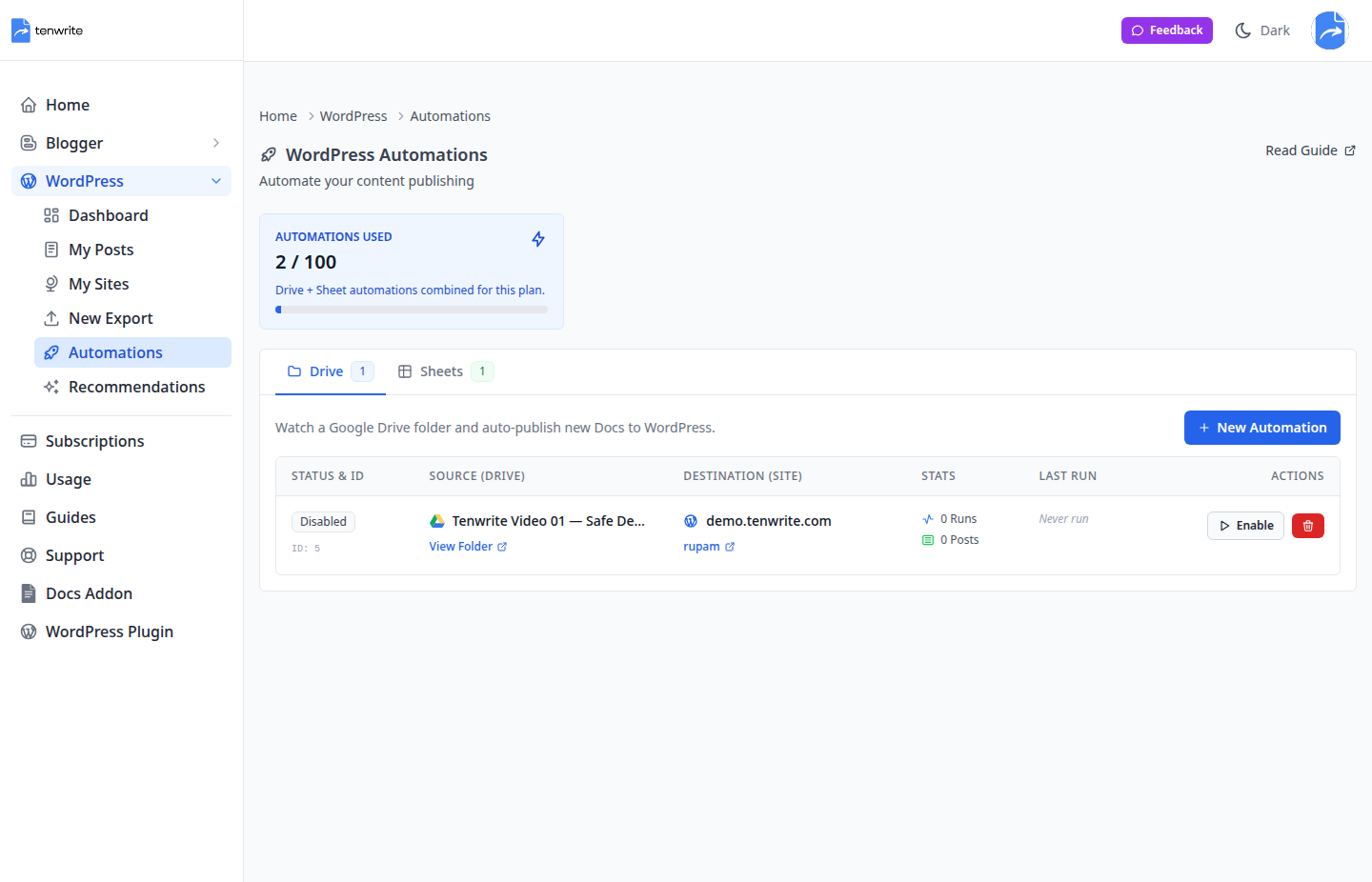
Figure 1. A Drive automation turns an approved folder into a controlled publishing source.
What should survive the handoff
The destination should receive useful structure—not a flattened wall of text and not a pile of theme-breaking styles.
| Element | In the source document | At the destination |
|---|---|---|
| Headings | Document heading styles | Semantic, editable heading blocks |
| Emphasis | Bold, italic, underline, and colour | Intent preserved without unnecessary clutter |
| Links | Descriptive linked text | Clean, clickable URLs |
| Media | Inline images and captions | Managed, reusable assets |
| Lists and tables | Structured information | Editable content blocks |
A useful rule for SEO teams
Publishing is not complete when the draft leaves Docs. It is complete when the destination is accurate, reviewable, and measurable.
That means retaining the article’s structure while also keeping the SEO handoff understandable. A descriptive link such as explore the Tenwrite publishing workflow is more useful than pasting a raw URL into the middle of a paragraph.
Example content contract
A small semantic example makes the expected output easy to discuss with editors and developers:
A meaningful section heading
A paragraph with clear emphasis and a useful link.
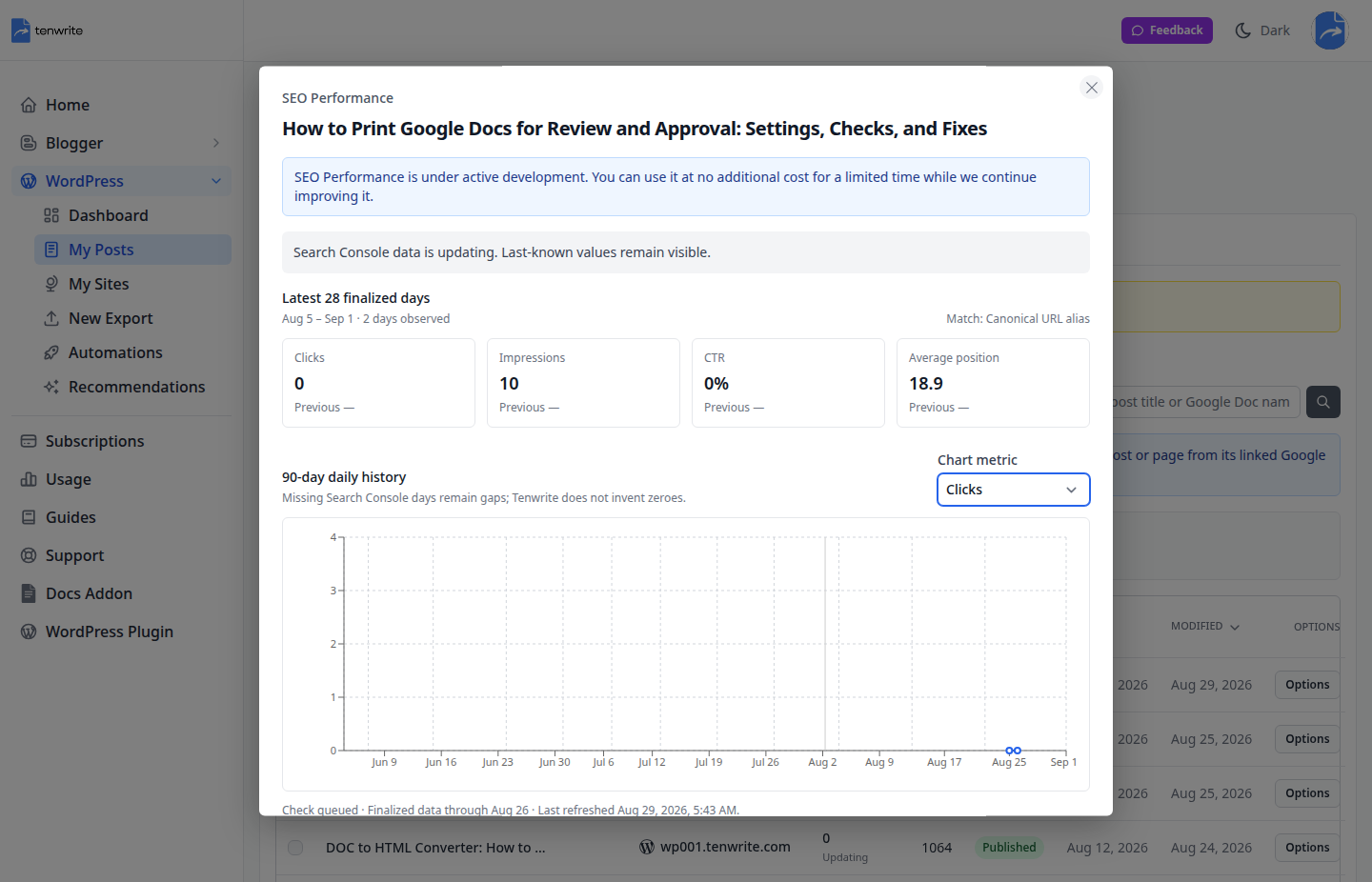
Figure 2. Finalized performance context stays close to the content the team manages.
The agency version
Agency workflows add one more requirement: the same process must remain understandable when several clients, sites, and contributors are involved.
- Standardize the source
- Use an approved Drive folder.
- Use a predictable document-naming pattern.
- Keep editorial decisions inside the source document.
- Control the destination
- Confirm the site and content type before publishing.
- Choose draft, scheduled, or published status deliberately.
- Return useful evidence
- Keep the source document linked to the destination content.
- Review finalized search data without inventing missing values.
When to automate
Automate the stable, repetitive parts of the process. Keep judgment-heavy work—approval, final positioning, and exceptions—visible to a person.
Pre-publish checklist
- ☐ The title and heading hierarchy describe the article accurately.
- ☐ Images are intentional, readable, and placed beside the relevant copy.
- ☐ Links use descriptive anchor text.
- ☐ Lists and tables improve scanning instead of adding decoration.
- ☐ The destination site, content type, and status have been confirmed.
- ☐ The approved Google Doc remains the traceable source.
Final takeaway
A good content workflow does more than move text. It preserves structure, intent, context, and media while reducing the number of manual decisions required at publish time.
One approved document. One controlled handoff. One traceable result.
That is the workflow this demonstration is designed to test. Learn more at tenwrite.com.